Runbooks: Automating Employee Workflows
Last updated: September 10, 2026
Admins and SuperAdmins
Runbooks are automated, structured workflows that deliver the right messages, actions, and meetings to the right people at the right time throughout the employee lifecycle.
Runbooks ensure every step happens automatically, consistently, and with oversight to allow for exceptions. Runbooks use HRIS information to target the right group(s) of people. There are three types of runbooks available to build in Kinfolk, and are explained in high-level below (each with a link to a dedicated article).
Types of Runbooks
Anchored around an employee's start date. Coordinates key collaborators like the manager, HR Ops, buddy, with the new joiner together, while sharing actions, messages, forms, and scheduling meetings and tailorable microsites to ensure the new hire is ramped up on time.
The onboarding timeline can run for any duration, for example: 30, 60, 90 days, and includes pre-start date comms, too (using personal email addresses)
These runbooks help manage complex, multi-step processes over time. Designed for key seasonal moments or strategic initiatives, such as open enrollment, performance cycles, or engagement programs, and are not anchored around an employee's start date.
Again, this runbook can run for any length of time, with messages, actions, forms, microsites and meetings features to utilise.
Workflows centred around an employee’s departure date (last working date or termination date, whichever an organisation utilises in the HRIS) to coordinate offboarding tasks and communications across relevant stakeholders and the leaver.
Runbook components:
Messages
Can be sent to either to, work or personal email addresses. Containing text, links, images, etc.
Forms
Pushed out via messages. Forms are sent via Slack, with interactive are used to capture, track, and validate data during a process. The data captured can be used to inform the runbook of the next step. For example, a form is sent to a manager to "choose a buddy." Off the back of this, the buddy will receive any configured communication / the information will be used to book a meeting between the buddy and the new hire etc.
Actions
Tasks sent via Slack and email, which can be marked as done in there. A weekly digest can be sent to remind task owners if anything is outstanding.
Microsite
Personalized hubs that act as a hub of relevant resources for the onboarding journey or program - such as guides, videos, links to existing resources and systems, questions, forms. Share one link – no login required, and track progress. Each person has their own microsite.
Meetings
Automatically scheduled meetings (e.g. manager 1:1s, buddy catch-ups) based on predefined availability and timing rules. Attendees can adjust meetings if needed.
➡ Read more here.
Assigning people to a runbook
The recording below shows how to assign people to runbooks.
OR, in ONBOARDING or OFFBOARDING runbooks once, "Auto-assignment' is toggled on under 'Runbook settings' assignment rules can be set based on HRIS data (such as location, department) to automatically include the right groups of employees to the Runbook.
In program runbooks, there's a difference here. There is no 'auto-assignment' rule, because people aren't being consistently added based on a start or termination date; it's adding people from the employee population currently as a snapshot in time. To select the audience rule, do so under 'Assignees' once the runbook has been created.
If someone matches multiple runbooks, they'll be included in multiple runbooks. For example, if my HRIS information Location is, 'New York', and I am a 'Contractor', and there are Rubooks with assignment rules for 'Location - New York' and a separate one for 'Contractors', I'll be included in both.
Further filters are available in the individual events in the Runbook (actions, forms, messages etc) under 'Create event'. This means, you can utilise one Runbook for multiple groups. Following the example above, one Runbook could cover 'London' users, and separate messages could be configured for 'Contractors' vs 'Employees'. This means you don't need to set up multiple runbooks, but have a lot of flexibility within the same one. More on that under messages.
Catch up Comms
‘Enable catch-up comms’ feature under 'Runbook settings' means if a user is assigned to a runbook in a shorter timeframe than the first message of the runbook is due to be sent/already has been sent, they'll receive all the comms (in a condensed timeline), so nothing is missed. Without 'Enable catch-up comms' on, these automations will 'skip' (they can still be sent manually). This is available on all runbooks (including Program). The reason it's available on Program runbooks is that if a user is manually assigned post-runbook start date, the comms need to be sent.
With this enabled, any 'skipped' comms will be scheduled to 9 am in the organisation's timezone (set at settings), and they'll be bulk sent.
Runbook Auto-activation
'Auto-activation' means once a user is assigned to a runbook (because they match the assignment rules), the child runbooks will be automatically activated at the scheduled time, because their runbook has been activated.
If this isn't toggled, assignee's runbooks will need to be activated manually before any of the scheduled activities will be executed.
Runbook reporting
At the time of creating a runbook, an 'owning team' would have been set.
Owning teams have full visibility into each Runbook
Who is an 'assignee' of each runbook (we call these 'child Runbooks')
Message delivery status
Skipped; Hasn't been sent (due to catch-up comms not being on / the date is in the past)
Sent; Form/action has been sent but not completed
Done; Message delivered and/or action/form completed
A Message becomes Done the moment it's delivered (sending it is finishing it).
An Action or Form becomes Done only when the person actually completes it — replies to the action, or submits the form. Until then it stays Sent.
Overdue; Only forms or actions can be overdue (this is calculated on business days, not hours; for example, a form sent 2 pm Thursday will be 'overdue' midnight Friday.
Failed; activity hasn't been sent (usually because a role isn't populated either from the HIS or dependent on a form being completed upstream)
To receive 'issues' notifications i.e. overdue actions or skipped comms, under Settings > Notifications > toggle on 'Receive Issue Notifications'. Configure these to be sent via email or Slack (whichever is your preference). What's included will be the next 7 days.
'Push Changes'
If any changes at the parent runbook level are made i.e a message updated or a form added, 'push changes' will also push those changes to the child runbooks (assignee's runbooks)
Collaborators
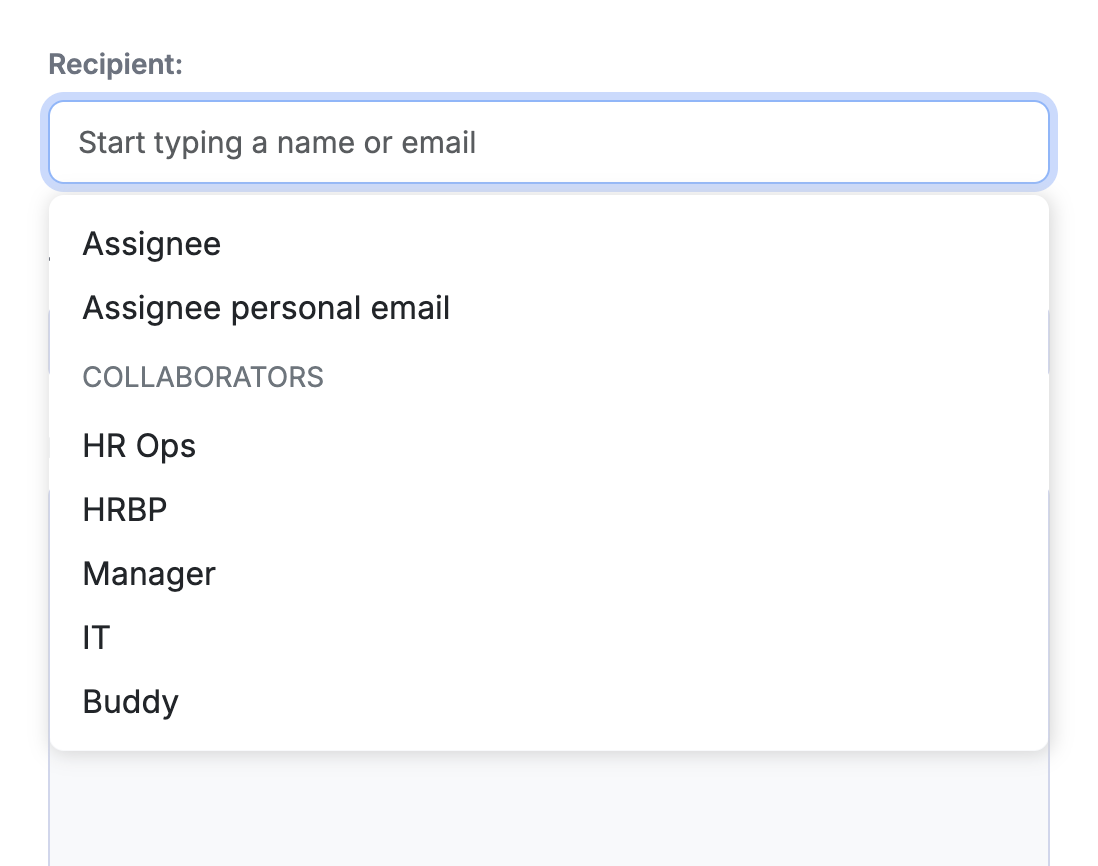
Collaborators are additional people attached to a runbook alongside the primary assignee. The default collaborator is the manager, who is automatically added via HRIS lookup when a runbook is assigned. You can also manually add others, or use forms to populate who these collaborators are, i.e. send a form to the manager electing a buddy, which will bring that person into the runbook.
You can edit the title of collaborators to suit your org's language, and you can create as many collaborators as you like. Once you create a collaborator on the page (admins can do this, and any created admin will be 'global' across all runbooks), that option will be available in forms, events, meetings etc.
What collaborators do:
Receive assigned tasks — collaborators can be given specific tasks or actions within a runbook to complete (e.g. a manager completing a "book intro meeting" task.
To bring collaborators into a runbook, configure the message / event to be sent to the collaborator role. In the same way to assignee, this can be to Slack or email. The manager is pull from the HRIS, other collaborator roles can be filled manually, or by using forms (for example, a manager is sent a form to nominate a buddy, and that buddy's email is pulled into the collaborator's section for future comms).
Cohorts
Available in 'Onboarding' and 'Program' Runbooks
➡ Read more here