Training Center Overview: Reviewing Kin's Responses
Last updated: September 16, 2026
Admins + SuperAdmins
How it works
In the Training Centre, admins can train the AI to perform better, using either “Instructions” or “Corrections,” and identify where knowledge or a workflow may be needed (as an employee's question wasn't resolved).
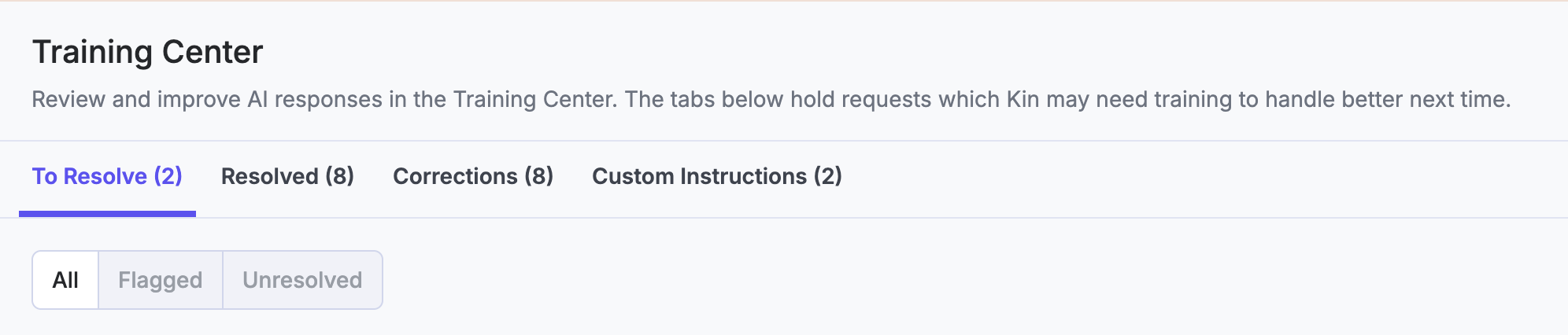
In the ‘To Resolve’ tab, you will see all requests that have either been Flagged (by a member of your team) or Unresolved (conversations where the employee has 👎 a response).
Where to start
The "To Review" tab is where you will start. You will have the following options to resolve the conversation.
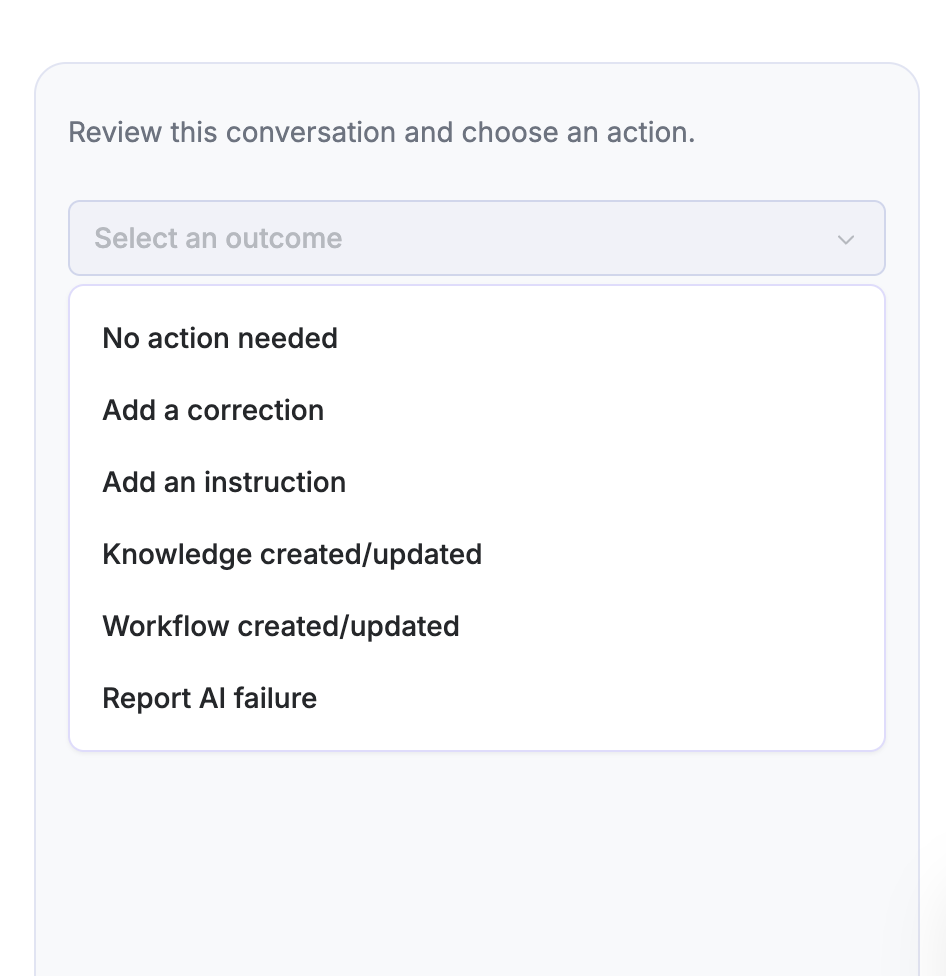
"No action needed" = There may be instances where you decide the agent did a good job, or you need to clear the conversation from the Training centre because you've corrected a similar conversation previously, so it would be a duplicate.
"Add a correction": Fix the AI's response (very specific use of wording to fix).
"Add an instruction": Give Kin guidance on how to handle this type of request in the future, for example, how you would tell a junior member of the team to respond.
"Knowledge created/added" = You've resolved this by adjusting a knowledge resource or creating a workflow.
Report AI failure: Something doesn't look right, and needs Kinfolk's support
The difference between Instructions and Corrections
Instructions | Corrections | |
Scope | Additional guidance for the AI agent to follow/take into consideration on a topic or scenario They're platform-wide, ready to be used in any conversation, and do not have to be related to a conversation. Can be created at any time, and aren't linked to a conversation. | Correct the specific response the AI agent gave Meta-tagged to that conversation, meaning next time a similar question is asked, the AI agent will respond with the corrected answer Have to correspond to a conversation |
Best for | Adding nuance and guidance around specific topic areas to help the AI agent find the answer, or to get more information from the employee, to then surface the right information. | Fixing specific incorrect answers, handling edge cases or ensuring the AI agent includes something in the answer. Best for precision |
Good Examples
With all custom instructions and corrections, they should;
Be explicit
Be structured and sequential (where relevant)
Provide an example(s)
Use positive language such as, "should", so the LLM knows what direction is positive
When training the AI, imagine you are talking to a junior member of the team.
🧭 Custom Instruction
You should always congratulate someone if they're asking about maternity or paternity leave. A good example is, "Congratulations on your news!"
When someone wants to know how to get promoted or move to the next level, you should ask them what their current level is, and then use that information to look at the competency descriptions in the Career Competencies document in the knowledge base to answer questions they have.
If someone asks about dental benefits, you should first ask them whether they are on a UnitedHealthcare or Blue Cross Blue Shield plan. You should not ask them what they're issue is.
🔧 Correction
Once you’ve told the employee how much leave is mentioned in the maternity policy, also mention that entitlements vary by employer and location and encourage reviewing official documentation, which can be found here (link).
Next time, you should tell them straight away that to be eligible for maternity pay, they need to be a full-time employee
With corrections, once you type the correction you'd like to input, the AI agent will give feedback on whether the correction is going to be effective, or whether adjustments might need to be made (and it will suggest what).
Guiding rules to decide which to use
Think, “Would general guidance have helped the AI/employee in this conversation?” If so, apply an Instruction. If your thought process is, “The AI agent used the right information and sources in this answer, but said it in the wrong way, or if I wish they'd given (x) information sooner,” and it's a nuanced question, add a Correction.

A few callouts
Remember, neither Instructions nor Corrections can be used to tell the AI agent where to categorise/who to escalate to. The category descriptions and escalation paths control that.
When using Corrections, the AI agent will reframe the correction you've given into language it understands, so you know what the outcome is. As Instructions are more direct and relevant to the conversation at hand.
If you're trying to create a correction which conflicts with another, the AI agent will let you know
You can test out using both if you're unsure! Just make sure to delete one or the other before trying (so there's no conflict) to see which is the most effective.
You can test out using both if you're unsure! Just make sure to delete one or the other before trying (so there's no conflict).
Resolved Tab
Once you've resolved the conversation with one of the options, it will move to the 'Resolved' category and be grouped under the sub-tabs, so you can see what's been done. Custom instruction and Corrections will move to 'Trained'.
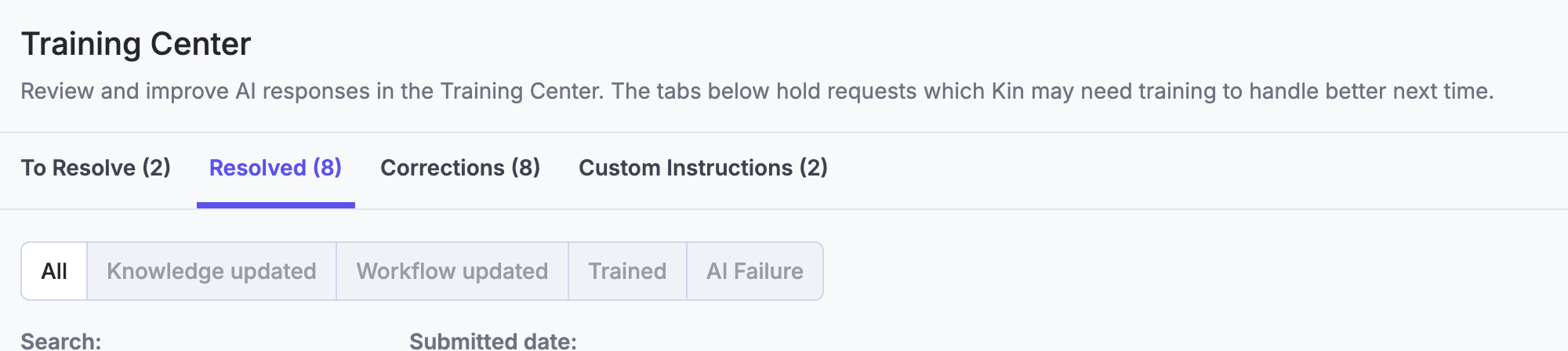
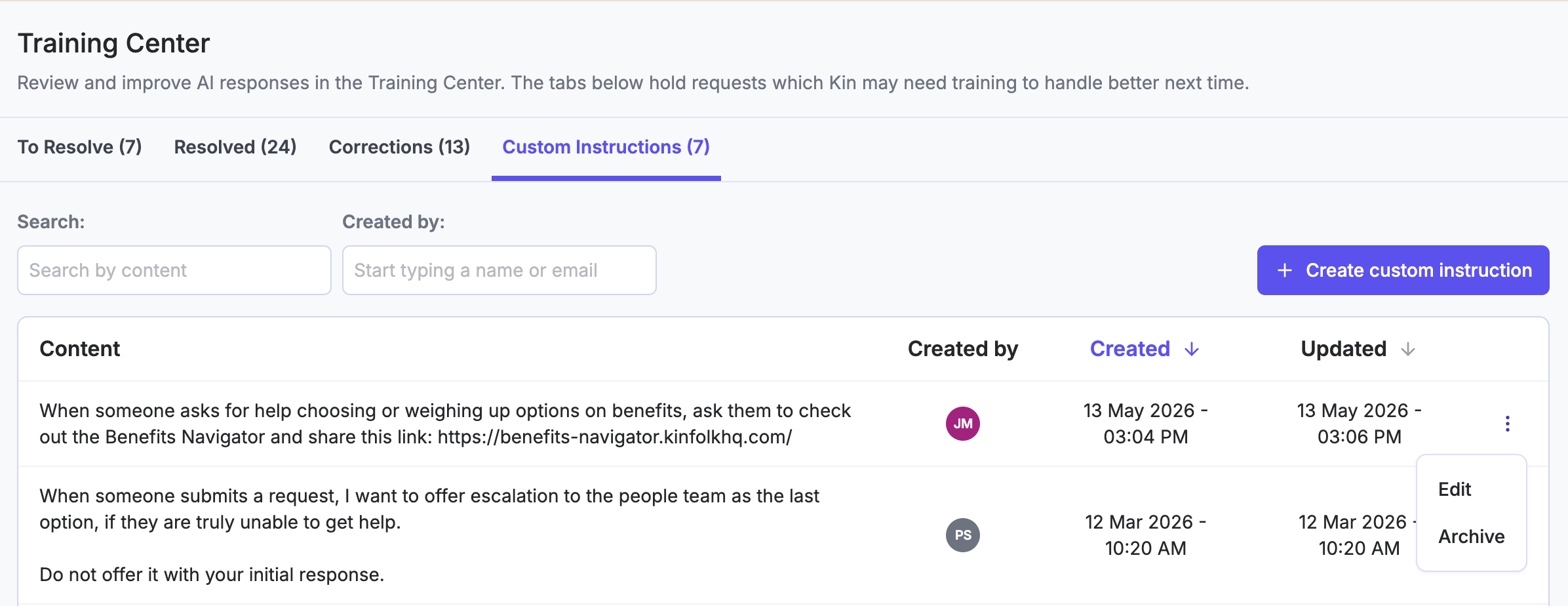
You will be able to view all Corrections and Custom Instructions on the tabs themselves.
Here, you can search for keywords, make edits to historic instructions and corrections, with a view of the audit log of what's been done. This view enables admins and superadmins to understand what may be affecting the AI agent's responses and make adjustments.
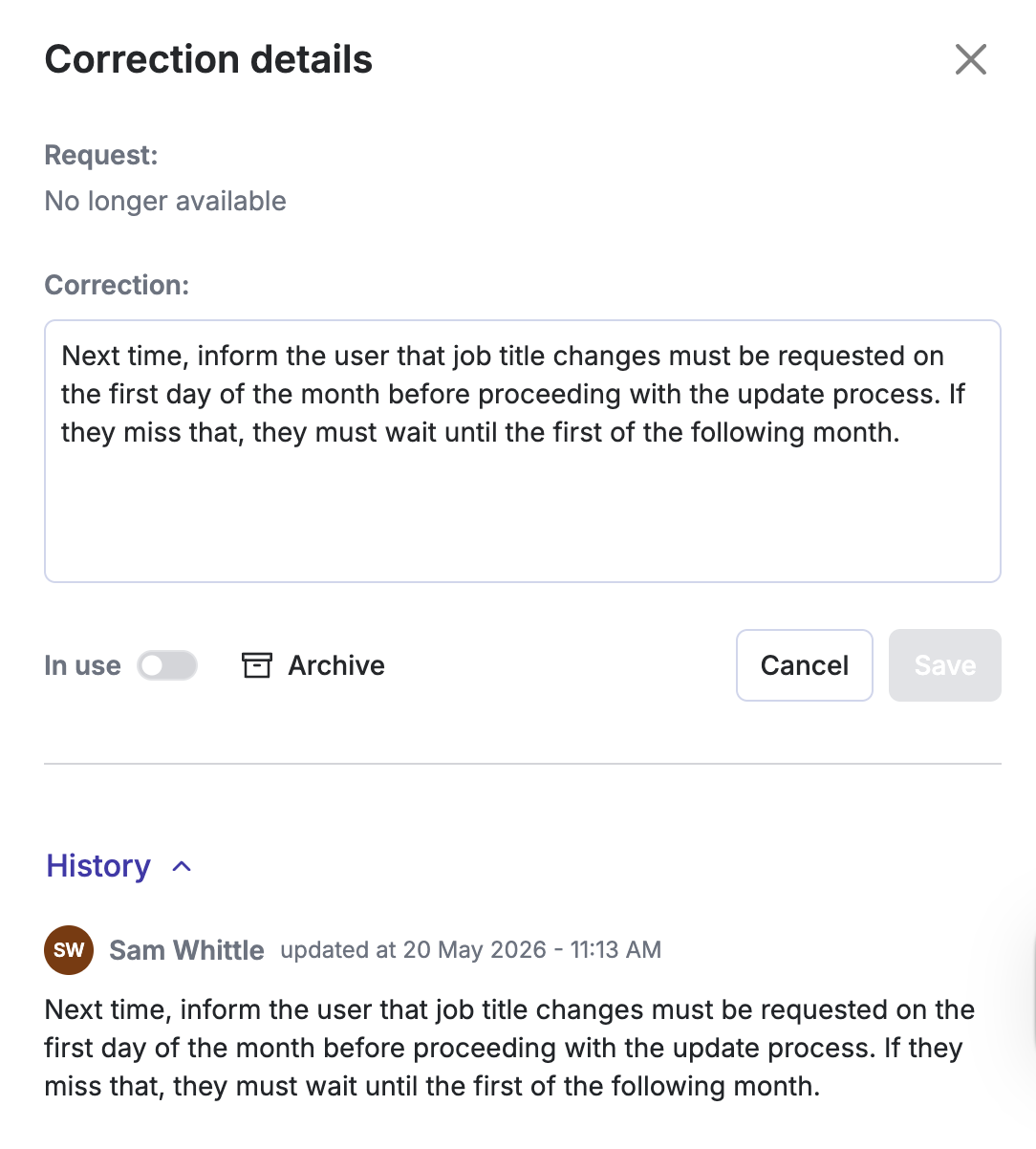
You can toggle corrections to be 'in use' or not, and archive and unarchive corrections.
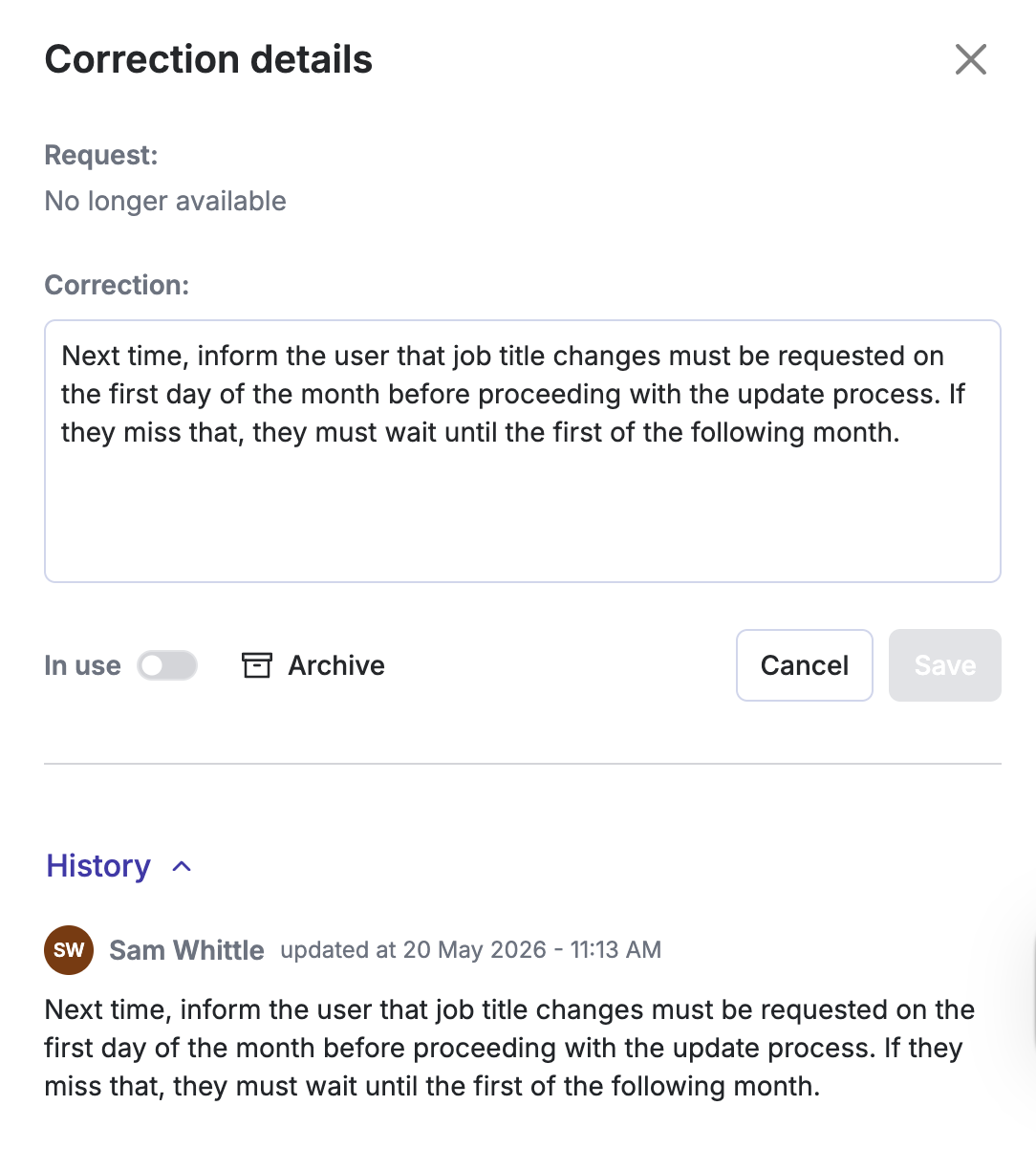
You can archive instructions by clicking the three dots on the far right of the instruction.
With any changes you make, you can test these in the playground to see their effectiveness! The effect should be instant.